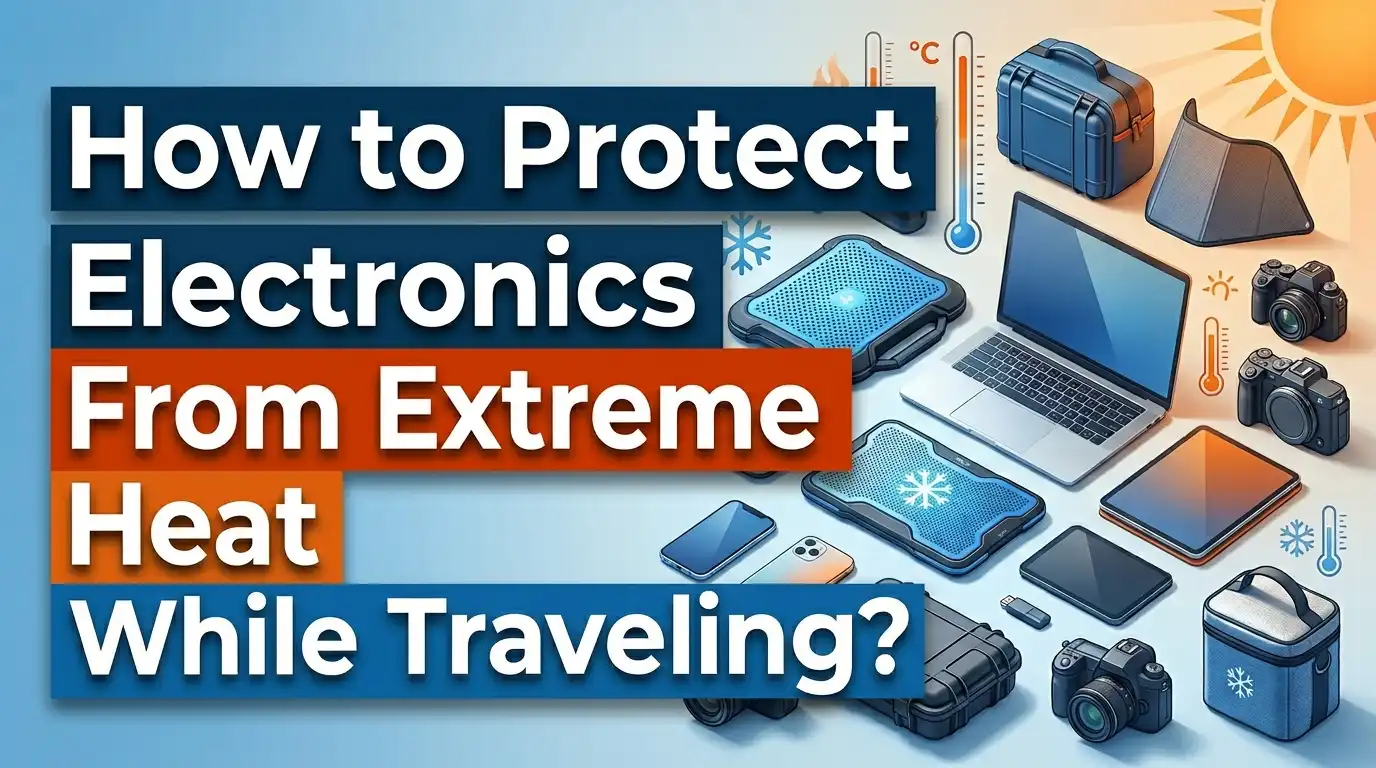
How to Protect Electronics From Extreme Heat While Traveling?
Your phone shuts down at the beach. Your laptop screen goes black in a hot rental car. Your camera stops working at the desert overlook you drove three hours to reach. Sound familiar?
Extreme heat is one of the biggest threats to your electronics while traveling, and most people don’t realize the damage until it’s too late. Most smartphones and laptops are designed to operate between 32°F (0°C) and 95°F (35°C).
Step outside that range, and you risk permanent battery damage, screen failure, and corrupted data. Even worse, a car parked on an 80°F day can reach over 109°F inside within just 20 minutes, and dashboard surfaces can hit a staggering 160°F or higher.
Whether you’re road tripping through Arizona, backpacking in Southeast Asia, or catching a flight to a tropical destination, your devices need protection. The good news? You don’t need expensive gear or a degree in engineering to keep your electronics safe.
You just need a few smart habits and practical strategies. This guide covers 15 proven solutions, from simple behavioral changes to clever packing tricks, that will keep your gadgets cool and functional no matter how high the mercury climbs.
In a Nutshell
Here are the key points you’ll learn from this guide:
1. Never leave electronics in a parked car. Interior car temperatures can soar past 130°F on hot days, far exceeding the safe operating range for any consumer device. Even a few minutes of exposure can cause lasting battery and screen damage.
2. Use insulated or reflective cases to shield devices. Thermal phone cases and reflective laptop sleeves create a barrier against radiant heat. These simple accessories can add hours of protection during transit and outdoor activities.
3. Turn off devices you’re not using. Powered electronics generate their own internal heat. Combined with high ambient temperatures, this creates a recipe for overheating. Shutting down unused devices reduces heat output by up to 50%.
4. Avoid charging in hot environments. Charging produces extra heat inside lithium ion batteries. Doing so in direct sunlight or a warm car can push battery temperatures into the danger zone, causing accelerated degradation or swelling.
5. Keep devices out of direct sunlight at all times. UV radiation and direct solar exposure can raise a phone’s surface temperature well beyond 100°F in minutes. A towel, a bag, or a patch of shade makes a huge difference.
6. Pack electronics in the center of your luggage. Surrounding your devices with clothing and soft items provides natural insulation from external heat, especially in car trunks and overhead compartments during flights.
Why Extreme Heat Is Dangerous for Electronics
Heat does more than make your phone feel warm. It attacks the core components that keep your devices running. Lithium ion batteries, which power nearly every portable device, begin to degrade faster when exposed to temperatures above 95°F. Prolonged exposure can cause the electrolyte inside the battery to break down, leading to permanent capacity loss, swelling, and in rare cases, thermal runaway (a dangerous chain reaction that can cause fires).
Beyond batteries, heat affects screens, processors, and internal circuits. LCD and OLED displays can develop dead pixels or discoloration after extended heat exposure. Processors trigger a safety mechanism called thermal throttling, which forces the device to slow down or shut off entirely to prevent damage. This is why your phone sometimes displays a “temperature warning” and becomes unusable at the beach or pool.
Solder joints inside circuit boards can also weaken over time from repeated heat cycles. This leads to intermittent failures, random crashes, and shortened device lifespans. Research from Carnegie Mellon University confirms that while electronics can technically withstand up to 176°F (80°C), the recommended safe limit is just 95°F (35°C) for sustained use. The gap between “can survive” and “will thrive” is enormous.
For travelers, the risk multiplies. You’re often outdoors, in transit, or away from climate controlled spaces for hours at a time. Understanding the danger is the first step to prevention.
How Hot Can a Car Get and What That Means for Your Devices
A parked car acts like a greenhouse. Sunlight enters through the windows, heats the interior surfaces, and the trapped air temperature rises rapidly. On an 80°F day, the inside of a car can reach 109°F in 20 minutes. On a 95°F day, dashboard temperatures can exceed 160°F. Some tests in places like Phoenix and Scottsdale have recorded interior temperatures reaching 180°F during peak summer.
These numbers are catastrophic for electronics. Your phone’s safe operating limit is 95°F. A laptop’s hard drive can begin to fail at around 130°F. A lithium ion battery stored at 140°F can lose up to 35% of its total capacity in a matter of months, and extreme spikes can cause immediate swelling or failure.
Many travelers make the mistake of thinking “it’ll only be a few minutes.” But heat buildup in cars happens faster than most people expect. Even cracking a window by several inches does almost nothing to slow the temperature rise, according to studies by the American Academy of Pediatrics.
The solution is straightforward: take your electronics with you every time you leave the car. If that’s truly impossible, store them in the trunk (which is cooler than the cabin), wrap them in insulating material, and minimize the time they spend inside.
Keep Devices Out of Direct Sunlight
This sounds obvious, but direct sunlight is the number one cause of electronics overheating during travel. A phone sitting on a picnic table, a dashboard mount, or a pool towel can reach surface temperatures of 120°F or higher within minutes under direct sun exposure.
UV rays accelerate the heating process. Dark colored devices absorb even more solar radiation. A black phone case in full sun will get significantly hotter than a white or silver one. The screen itself also absorbs heat and can reach temperatures that trigger automatic shutdowns.
The fix is simple and costs nothing. Always place your devices in shade. Use a towel, a hat, or a bag to cover them. At the beach, put your phone inside a cooler bag or under your clothes. At a restaurant patio, slide your phone under the table or into a purse. At a scenic overlook, keep your camera in its bag until you’re ready to shoot.
Pros of keeping devices in shade: Zero cost. Immediate temperature reduction. No extra gear needed. Extends battery life significantly during hot days.
Cons: Requires constant awareness. Easy to forget in the moment. Shade isn’t always available in open environments like deserts or beaches.
If you’re using your phone for navigation in a car, position the vent to blow cool air on the mount. Remove any thick cases that trap heat, and lower the screen brightness to reduce internal heat generation.
Use Insulated and Reflective Cases
Thermal protection cases and reflective pouches are one of the most effective ways to shield electronics during travel. These products use layers of insulating material, often inspired by space suit technology, to reflect solar radiation and slow heat transfer.
A well designed thermal phone case can keep your device’s internal temperature up to 30°F cooler than the outside air. Reflective laptop sleeves work on the same principle, bouncing sunlight away instead of absorbing it. Some use chromium or metallic film layers, similar to emergency blankets, to create this effect.
You don’t need to buy specialized products, though. A simple DIY solution works well too. Wrap your device in a white cloth or towel and place it inside an insulated grocery bag (the kind with reflective lining). This improvised setup provides a surprising amount of heat protection and is easy to find at any store.
Pros of insulated cases: Significant temperature reduction. Portable and lightweight. Protects against both heat and cold. Many options include drop protection too.
Cons: Adds bulk to your device. You cannot use the device while it’s inside the case. Some cases are expensive. Not all sizes fit every device.
For road trips or outdoor adventures in hot climates, carrying at least one insulated pouch per device is a smart move. This single investment can prevent hundreds of dollars in battery replacement or device repair costs.
Turn Off Devices You Are Not Using
Every electronic device generates heat when it’s running. Processors, screens, radios, and GPS modules all produce warmth during operation. In normal conditions, this internal heat dissipates easily. But in a hot environment, the ambient temperature prevents that heat from escaping. The result is a device that gets hotter and hotter with no relief.
Turning off a device eliminates all internal heat generation. This is the simplest and most effective way to reduce the thermal load on your electronics during travel. A phone that is powered off in a hot car will stay significantly cooler than one that is powered on, running background apps, and maintaining a cellular connection.
If a full shutdown isn’t practical, use airplane mode to disable the cellular, Wi-Fi, and Bluetooth radios. These components are among the biggest heat producers. Also close unnecessary apps, turn off location services, and lower your screen brightness to the minimum usable level.
Pros of turning off devices: Immediate and significant heat reduction. Extends battery life. Costs nothing. No extra gear required.
Cons: You lose access to your device during the shutdown period. Rebooting takes time. You may miss calls or messages.
For travelers carrying multiple devices (phone, tablet, laptop, camera, portable charger), this tip matters even more. Power down everything you don’t actively need at that moment. One powered on device is manageable. Five devices all generating heat inside the same backpack is a problem waiting to happen.
Avoid Charging in High Temperatures
Charging a lithium ion battery generates significant internal heat. The chemical reactions required to store energy produce warmth as a byproduct. Under normal conditions (around 68°F to 77°F), this is harmless. But charging in a hot environment compounds the problem dangerously.
When you charge your phone or laptop at 100°F or above, the battery’s internal temperature can spike past safe limits. This accelerates a process called electrolyte decomposition, which permanently reduces the battery’s ability to hold a charge. Over time, this leads to noticeable capacity loss, shorter battery life, and potential swelling.
The safest rule is simple: never charge your devices in direct sunlight or in a hot car. Wait until you reach an air conditioned space. If you must charge on the go, do so in the coolest spot available, remove any protective case to allow heat to escape, and avoid using the device while it’s charging (which creates even more heat).
Pros of avoiding hot charging: Protects long term battery health. Prevents dangerous swelling. Extends overall device lifespan by months or years.
Cons: Limits when and where you can charge. Requires more planning. May mean carrying a larger power bank to avoid mid day charging.
Many modern devices include built in charging safeguards that slow or stop charging when the battery gets too hot. If your device displays a temperature warning while charging, unplug it immediately and move it to a cooler location. Do not ignore these warnings.
Pack Electronics in the Center of Your Luggage
The way you pack your bag matters more than you might think. Items on the outside of a suitcase or backpack are exposed to the highest temperatures, especially if the bag sits in a car trunk, on an airport tarmac, or on the roof rack of a shuttle bus.
By placing your electronics in the center of your luggage, you create a natural layer of insulation. Clothes, toiletries, and other soft items act as a thermal buffer. This can reduce the temperature your device experiences by 10°F to 20°F compared to a device sitting near the outer wall of the bag.
Use clothing items like t shirts, socks, or scarves to wrap your laptop or tablet before placing it in the middle of your bag. This serves double duty: it cushions the device against impacts and provides insulation against heat. A rolled up hoodie or sweater makes an excellent device wrapper.
Pros of center packing: Free and easy to implement. Provides both heat and impact protection. Uses items you already have. Works with any type of luggage.
Cons: Makes accessing your devices less convenient. Requires repacking each time you remove a device. Not effective if the entire bag is in extreme heat for extended periods.
For checked luggage on flights, this strategy is especially important. Cargo holds can experience significant temperature swings. While most modern aircraft maintain some temperature control in the cargo area, delays on hot tarmacs can expose bags to harsh conditions. Center packing gives your devices the best possible buffer.
Use a Cooler for Road Trips
This is one of the best kept travel tips for electronics protection. A standard cooler, especially a Styrofoam or insulated soft cooler, is excellent at maintaining a stable interior temperature regardless of outside conditions. You’re probably already bringing one for drinks and snacks. Add your electronics to the equation.
Do not place electronics directly on ice or ice packs. The condensation from cold surfaces will cause moisture damage. Instead, wrap your devices in a dry towel or place them in a sealed plastic bag, then set them in the cooler. The goal is to benefit from the cooler’s insulation without exposing devices to moisture.
An empty cooler (without ice) still works well. The insulated walls slow heat transfer significantly, keeping the interior 20°F to 40°F cooler than a hot car cabin. This approach is perfect for storing laptops, tablets, cameras, and hard drives during long drives.
Pros of using a cooler: Extremely effective temperature control. Cheap and widely available. Multi purpose (food and electronics). Portable.
Cons: Takes up space in the vehicle. Risk of condensation if ice is present. Not practical for air travel or backpacking. Devices must be removed before use.
If you travel frequently in hot climates, consider keeping a small dedicated insulated bag for electronics only. This eliminates the risk of food spills or condensation damage and gives you a reliable, always ready solution.
Manage Your Phone During Navigation Use
Using your phone as a GPS unit creates a perfect storm of overheating risks. The screen stays on at full brightness. The GPS radio runs constantly. The processor works to render maps in real time. All of this generates substantial heat. Add a dashboard mount in direct sunlight, and temperatures can climb rapidly.
Many travelers have experienced their phone shutting down mid route because of heat, which is both frustrating and potentially dangerous if you’re in an unfamiliar area. Prevention is far better than scrambling for directions on a dead phone.
Start by positioning an air conditioning vent to blow directly on your phone. This is the single most effective countermeasure during GPS use. Remove any thick case, as it traps heat against the phone’s body. Lower the screen brightness as much as you can while still reading the map.
If possible, download offline maps before your trip. This reduces the processor load because the phone doesn’t need to continuously download map data over a cellular connection. Less data processing means less heat.
Pros of these GPS management tips: Prevents mid trip shutdowns. Extends phone life in hot climates. Easy to implement.
Cons: Removing your case exposes the phone to drop damage. AC vent positioning may reduce cooling for passengers. Offline maps don’t include real time traffic data.
Consider investing in a vent mounted phone holder instead of a dashboard or windshield mount. Vent mounts keep the phone away from direct sunlight and in the path of cool air, solving two problems at once.
Choose the Right Travel Bag Material and Color
The color and material of your travel bag affect how much heat reaches your electronics inside. Dark colored bags absorb more solar radiation than light colored ones. A black backpack sitting in the sun can reach exterior temperatures of 140°F or higher, and that heat transfers inward to your devices.
Choosing a white, tan, light gray, or silver bag reflects more sunlight and keeps the interior cooler. If you already own a dark bag, covering it with a light colored cloth or rain cover in sunny conditions helps reduce heat absorption.
Bag material also plays a role. Nylon and polyester are common travel bag materials, but they vary in heat conductivity. Thicker, denser fabrics provide better insulation. Canvas bags breathe better than synthetic ones, allowing some heat to escape. Bags with multiple layers or padded compartments naturally offer more thermal protection.
Pros of choosing light colored bags: Passive, ongoing heat reduction. No extra effort required. Often lighter in weight too.
Cons: Lighter bags show dirt and stains more easily. Color choice is limited in some product lines. Won’t solve extreme heat problems on its own.
Think of your bag as the first line of defense. Combined with center packing, insulated pouches, and shade, the right bag can reduce the temperature your electronics experience by a meaningful margin during an entire day of travel.
Let Devices Cool Down Before Turning Them On
If your device has been exposed to extreme heat, do not turn it on immediately. Powering up a hot phone or laptop forces the processor to work, which adds more heat to an already overheated system. This can cause thermal throttling, data corruption, or even hardware failure.
Instead, move the device to a cool, shaded area. Let it sit for at least 15 to 20 minutes before attempting to turn it on. Place it on a cool surface like a tile floor, a marble countertop, or a metal table in the shade. Avoid putting it in a refrigerator or freezer, as the rapid temperature change can cause condensation inside the device, which leads to moisture damage.
If your phone has displayed a heat warning, wait until the warning clears on its own before resuming use. Modern devices have built in temperature sensors that will prevent operation until the internal temperature drops to a safe level. Trust this system. Trying to bypass it by repeatedly pressing the power button won’t help and can cause additional stress on the hardware.
Pros of cooling down first: Prevents secondary heat damage. Protects data integrity. Allows the device to resume normal function safely.
Cons: Requires patience. You temporarily lose access to your device. Finding a cool surface isn’t always easy during outdoor travel.
This tip is especially important after long hikes, beach days, or any extended outdoor activity in hot weather. A 20 minute cooldown can be the difference between a working device and a fried one.
Protect External Storage and Power Banks
Travelers often focus on protecting phones and laptops but forget about external hard drives, USB drives, SD cards, and portable power banks. These items are just as vulnerable to heat damage, and in some cases more so.
Portable power banks contain large lithium ion batteries that are especially sensitive to heat. A power bank left in a hot car can swell, lose capacity, or become a fire hazard. The same goes for spare camera batteries and laptop battery packs. Store these in the coolest part of your bag, ideally inside an insulated pouch, and never leave them in direct sunlight.
External hard drives and SSD drives can suffer data loss from extreme heat. Mechanical hard drives have moving parts that expand when heated, which can cause the read/write head to malfunction. SSDs are more heat resistant but still degrade faster at high temperatures. SD cards used in cameras are small and easy to forget about, but they can also lose data if left in a hot camera bag for extended periods.
Pros of protecting accessories: Preserves valuable data. Prevents fire risk from swollen batteries. Extends the useful life of all your travel tech.
Cons: Adds more items to keep track of. Requires separate storage considerations. Easy to overlook in the rush of travel.
A simple checklist before leaving any hot environment helps: phone, laptop, power bank, hard drive, camera batteries, SD cards. If you account for every item, you significantly reduce the risk of heat related loss or damage.
Create a Pre Trip Electronics Protection Plan
The best time to protect your electronics from heat is before your trip begins. A few minutes of planning saves hours of frustration and hundreds of dollars in potential repairs or replacements.
Start by checking the weather forecast for your destination. If temperatures will exceed 90°F, plan your packing and daily routine around heat management. Identify which devices you truly need to bring and leave the rest at home. Every device you don’t bring is one less thing to protect.
Back up all your data before departure. If a device does overheat and fail, you won’t lose irreplaceable photos, documents, or work files. Use cloud storage, an external drive, or both. This single step provides peace of mind that no amount of thermal protection can match.
Update your devices before you leave. Software updates often include improved thermal management features that help your device handle heat better. Running the latest operating system gives you the benefit of the most current temperature safeguards.
Finally, assemble a small electronics protection kit: an insulated pouch, a couple of sealable plastic bags, a light colored cloth or towel for wrapping, and a small dry bag for beach or water activities. This kit weighs almost nothing and fits in any suitcase or backpack.
Pros of pre trip planning: Prevents problems before they occur. Reduces stress during the trip. Protects data even if a device fails.
Cons: Takes time before departure. Requires awareness of the risks. Backup storage may have a cost.
Think of it like sunscreen for your gadgets. You wouldn’t go to the beach without protecting your skin. Your electronics deserve the same consideration.
What to Do If Your Device Overheats During Travel
Despite your best efforts, overheating may still happen. Knowing how to respond quickly can save your device from permanent damage. Here is a step by step action plan.
Step one: Stop using the device immediately. Close all apps and turn off the screen. If the device is charging, unplug it right away. Continued use adds more heat and increases the risk of hardware failure.
Step two: Move the device to a cool, shaded location. Remove it from direct sunlight, take it out of your pocket, and place it on a cool surface. If you’re in a car, aim an AC vent at the device.
Step three: Remove the case. Phone and laptop cases trap heat against the device body. Taking the case off allows heat to dissipate faster through the device’s metal or glass surfaces.
Step four: Wait patiently. Give the device at least 15 to 30 minutes to cool down naturally. Do not place it in a refrigerator, freezer, or directly on ice. Rapid temperature changes cause condensation inside the device, which leads to water damage that is often worse than the heat damage itself.
Step five: Power it on and test. Once the device feels cool to the touch, turn it on and check for any unusual behavior: screen discoloration, battery drain, slow performance, or error messages. If everything looks normal, you’re good to go.
If the device won’t turn on or behaves erratically after cooling, the heat may have caused internal damage. Visit a repair professional as soon as possible. Do not attempt to open the device yourself, especially if the battery appears swollen.
Long Term Heat Exposure and Battery Health
A single hot day probably won’t destroy your electronics. But repeated exposure to high temperatures over days, weeks, or months causes cumulative damage that shortens your device’s overall lifespan.
Lithium ion batteries are the most vulnerable component. Studies show that a battery stored at 104°F (40°C) can lose up to 15% of its capacity in a single year, even without being used. At 131°F (55°C), that loss accelerates dramatically. For frequent travelers in hot climates, this means your phone or laptop battery will need replacement much sooner than expected.
Heat also affects screen adhesives, thermal paste on processors, and the seals that keep moisture out of your device. Over time, these materials degrade, leading to screen separation, reduced cooling performance, and water intrusion that wouldn’t happen on a newer device.
To minimize long term damage, follow these practices: keep your devices at 50% charge when storing them for extended periods in warm environments (full charge plus heat equals maximum stress on the battery). Clean your device’s vents and fans regularly to maintain cooling efficiency. Consider replacing thermal paste on older laptops that run hot, as it dries out faster in warm climates.
Pros of long term awareness: Extends device lifespan by years. Saves money on replacements. Maintains resale value.
Cons: Requires consistent effort. Some maintenance steps (like thermal paste replacement) need technical skill. Hard to measure results day to day.
Think of heat protection as a long game. Each day you keep your device cool adds life to the battery and the device as a whole.
Frequently Asked Questions
At what temperature do electronics start to get damaged?
Most consumer electronics are rated for safe operation up to 95°F (35°C). Damage can begin above this threshold, especially with prolonged exposure. While devices can technically survive temperatures up to 176°F (80°C) briefly, sustained heat above 95°F degrades batteries, screens, and processors over time. The danger zone for lithium ion batteries starts around 113°F (45°C), where accelerated chemical degradation begins.
Can I put my overheating phone in the refrigerator to cool it down?
No. This is one of the most common and damaging mistakes. Rapid cooling causes condensation to form inside the device, which can short circuit internal components. The moisture damage from this approach is often worse than the original heat damage. Instead, move the device to a shaded area at room temperature and let it cool down gradually over 15 to 30 minutes. Patience is your friend here.
Is it safe to leave a laptop in a hot car for 30 minutes?
It is not recommended. A car interior can reach 120°F or higher in 30 minutes on a sunny day, which far exceeds the safe operating range for a laptop. The hard drive, battery, and screen are all at risk. If you absolutely must leave a laptop in the car, power it off completely, wrap it in insulating material, and store it in the trunk where temperatures are slightly lower.
Do phone cases make overheating worse?
Some do, yes. Thick cases made from rubber, silicone, or heavily padded materials can trap heat against the phone’s body and slow natural cooling. In hot environments, consider removing your case or switching to a thin, well ventilated case. Thermal phone cases designed for heat protection are the exception, as they use reflective materials to keep external heat out rather than trapping internal heat in.
How do I know if heat has permanently damaged my device?
Signs of permanent heat damage include rapid battery drain, a swollen or bulging battery, screen discoloration or dead pixels, random shutdowns, and slower performance that doesn’t improve after cooling. If you notice any of these issues after heat exposure, back up your data immediately and visit a certified repair professional. A swollen battery is especially urgent, as it poses a fire risk and should be replaced right away.
Does airplane mode help prevent overheating?
Yes, significantly. Airplane mode disables cellular, Wi-Fi, Bluetooth, and GPS radios, all of which generate heat during operation. This can reduce internal heat production by 30% to 50%, depending on the device. If you don’t need your phone for calls or internet while in a hot environment, switching to airplane mode is one of the easiest and most effective ways to keep temperatures down.

Zoro is a passionate traveler and gear enthusiast dedicated to helping fellow adventurers find the perfect travel products for their journeys. With years of hands-on testing and research, he provides honest, detailed reviews to make your packing decisions easier.