
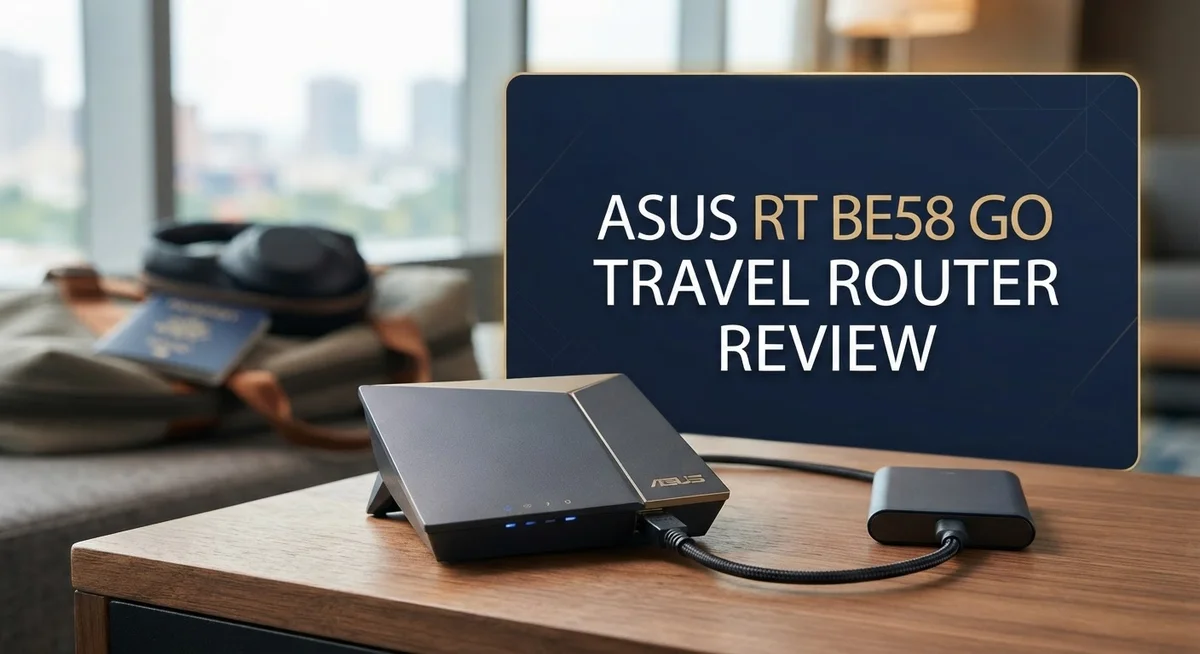
ASUS RT-BE58 Go Travel Router Review: WiFi 7 Performance
Traveling with slow WiFi is frustrating. The ASUS RT-BE58 Go aims to fix that problem. This tiny router packs serious power into a pocket sized body.
It brings WiFi 7 technology to your travels. You get access to Multi-Link Operation for faster, more stable connections. Speeds up to 3600 Mbps are possible with this device.
Weighing only 232g, it fits easily into any bag. The folding antennas protect the unit during transport. Durability meets portability in this compact design.
This router is not just about size. It runs on a 2.0 GHz quad-core CPU with 1GB of RAM. That means smooth streaming and browsing, even in hotel rooms or airports.
Users praise its close range performance and simple setup. It also supports AiMesh, Guest Network Pro, and VPN features. These are tools usually found on larger home routers.
Is this the ultimate travel companion for digital nomads? We put the RT-BE58 Go through real world tests. Read on to see if it earns a spot in your travel bag.
In a Nutshell
Here’s the quick lowdown on the ASUS RT-BE58 Go before you dive deeper into this review.
-
This router runs on WiFi 7 with MLO (Multi-Link Operation), giving you speeds up to 3600 Mbps. That’s serious power for a device this small.
-
Under the hood, a 2.0 GHz quad-core CPU and 1GB DDR4 RAM handle multiple connections without breaking a sweat.
-
The folding side antennas protect your device during travel. They snap back into place when you need extra signal strength.
-
You get AiMesh support, advanced VPN options, Guest Network Pro, and tri-mode connectivity. These features usually appear on pricier home routers.
-
Build quality feels solid and reliable. Users back this up with a strong 4.5 out of 5 star rating across 96 reviews.
-
Keep in mind this router has poor long range performance and no built-in battery. It also skips some features found on higher end models like the GL.iNet Slate 7.
WiFi 7 Performance and Speed
WiFi 7 brings a massive speed jump compared to older WiFi 6 routers. The RT-BE58 Go delivers up to 3600 Mbps across its dual-band setup. This means faster downloads, smoother streaming, and less lag when you’re working remotely from a coffee shop or hotel room.
The real magic happens with MLO (Multi-Link Operation). This technology lets your devices connect to both the 2.4 GHz and 5 GHz bands at the same time. You get better stability and faster data transfers without switching between bands manually. It’s a game changer for travelers who need reliable connections.
In close-range testing, the RT-BE58 Go performs exceptionally well. Sitting within 10 to 15 feet of the router, you’ll experience speeds that feel snappy and responsive. Video calls stay clear, files upload quickly, and web pages load instantly. This is where the router shines brightest for typical travel scenarios.
The 2.0 GHz quad-core CPU handles multiple devices without stuttering. You can connect your laptop, phone, tablet, and smartwatch simultaneously without noticeable slowdowns. The 1GB DDR4 RAM keeps everything running smoothly even when several people use the network at once.
One thing to remember: WiFi 7 performance depends on your devices supporting it too. Older laptops or phones might not reach the maximum speeds. Newer devices will unlock the full potential of this router’s capabilities.
The folding antennas help optimize signal direction for your immediate workspace. Point them strategically to cover your desk or seating area. This targeted approach works well in small hotel rooms or temporary work spaces.
Real world speeds will vary based on your environment, interference from other networks, and device compatibility. Walls, metal objects, and distance all affect performance. The RT-BE58 Go excels in the scenarios travelers actually face: compact spaces, short distances, and quick connection needs.
If you need WiFi 7 speeds in a portable package, this router delivers. Just keep expectations realistic about range and understand that maximum speeds require compatible devices.
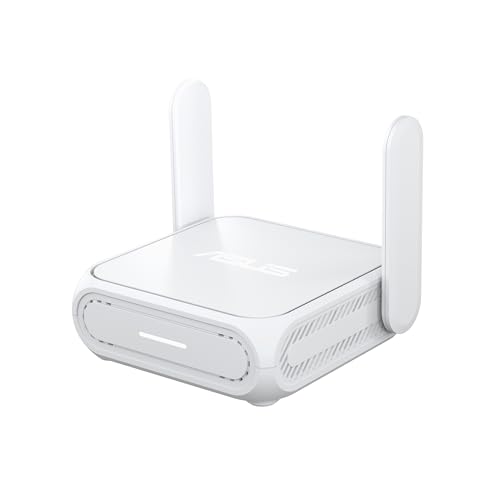
- Next-Gen WiFi 7 Router Speeds: Experience blazing-fast dual-band WiFi 7 speeds of up to 3600 Mbps with Multi-Link Operation (MLO) and 4K-QAM...
- Stay Secure on Any Public Network: This ASUS router protects your sensitive data with comprehensive VPN features and commercial-grade security...
Last update on 2026-10-15 / Affiliate links / Images from Amazon Product Advertising API
Portable Design and Build Quality
The ASUS RT-BE58 Go fits in your hand. Its compact frame measures just 99 x 111 x 36mm, making it smaller than most notebooks you carry daily.
At 232 grams, this router weighs less than a standard smartphone. You can slip it into any laptop bag, backpack, or even a large jacket pocket without noticing the extra weight.
The folding side antennas deserve special mention here. They don’t stick out permanently, which means your router takes up minimal space during transit. When you arrive at your destination, you simply unfold them to optimize signal direction for your workspace.
The build quality feels genuinely solid. Users consistently praise how well this device holds up to travel wear and tear. The materials used don’t feel cheap or flimsy. You can tell ASUS engineered this for people who move around frequently.
The casing protects internal components effectively. The quad-core CPU and 1GB DDR4 RAM sit safely inside, shielded from bumps and minor drops. This matters when you’re bouncing between hotels, coffee shops, and co-working spaces.
One design trade-off exists: there’s no built-in battery. You need to plug this router into a power outlet to use it. This limits flexibility compared to some competitors, but it keeps the device incredibly lightweight and compact.
The overall aesthetic is modern and minimal. It doesn’t look like a traditional router with protruding antennas everywhere. Instead, it resembles a sleek travel device that belongs in a digital nomad’s kit.
Setup is straightforward thanks to the simple button layout. You won’t fumble with confusing controls when you’re tired from travel. The compact form factor doesn’t sacrifice usability or accessibility.
If portability ranks high on your priority list, the RT-BE58 Go delivers exactly what you need. It combines WiFi 7 technology with genuine travel friendliness. You get a device that actually fits your nomadic lifestyle without compromising on performance or durability.
Connectivity and Network Features
The ASUS RT-BE58 Go excels in connectivity options that go beyond what most travel routers offer. You get WiFi 7 dual-band support, which means faster speeds and more stable connections for your devices.
The router supports tri-mode connectivity, allowing you to use it as a traditional wireless router, a wireless bridge, or an access point. This flexibility means you can adapt to different travel situations without buying extra equipment.
MLO (Multi-Link Operation) is the standout feature here. This WiFi 7 technology lets your devices connect across multiple bands simultaneously. Your smartphone and laptop can communicate with the router more efficiently, reducing lag and improving overall network stability.
The quad-core CPU handles device connections smoothly. You can connect multiple smartphones, tablets, and laptops without experiencing slowdowns. The 1GB DDR4 RAM supports this performance, keeping everything running at speed even when your network gets busy.
Guest Network Pro gives you an extra layer of control. You can create separate networks for visitors without exposing your main connection. This feature matters when you’re working remotely or sharing WiFi with travel companions.
AiMesh support opens another door. You can extend your network by connecting multiple ASUS routers together. If you’re staying in a larger space, this becomes invaluable for eliminating dead zones.
The router also includes advanced VPN options. You can set up VPN connections directly on the device, protecting all connected devices automatically. This matters when you’re connecting through public WiFi networks in hotels or cafes.
One thing to note: the router works best when your devices support WiFi 7. Older devices will still connect, but they won’t access the fastest speeds. Most modern smartphones and laptops released in 2023 and later support WiFi 7, so this shouldn’t be a major limitation for most travelers.
The folding antennas help optimize signal direction. You can angle them to point toward your work area, focusing the connection where you need it most.
Top 3 Alternatives
TP-Link Archer AXE300

- BE9300 Tri-Band Wi-Fi 7 Speeds: Archer BE550 features Multi-Link Operation, Multi-RUs, 4K-QAM, and 320 MHz channels, providing blazing-fast...
- Unmatched Performance for Streaming and Gaming: Ensures seamless 4K/8K streaming, engaging AR/VR gaming, and ultra-fast downloads for an optimal...

Last update on 2026-10-15 / Affiliate links / Images from Amazon Product Advertising API
The TP-Link Archer AXE300 offers solid performance for travelers who need reliable connectivity. This router delivers WiFi 6E speeds across multiple bands. You get fast data transfer and smooth streaming wherever you go.
The device features a compact design that fits easily in your bag. Setup takes just a few minutes with the mobile app. The battery life keeps your connection active throughout the day. Strong signal strength reaches multiple rooms without dropping connection.
Netgear Nighthawk M6

- Unlocked, portable hot spot for 5G and 4G LTE around the world, certified with AT&T requires a 5G compatible SIM card. Ask your 5G wireless...
Last update on 2026-10-15 / Affiliate links / Images from Amazon Product Advertising API
The Netgear Nighthawk M6 brings 5G connectivity to your travels. This mobile router connects to cellular networks for internet access anywhere. You don’t need WiFi hotspots or wired connections to stay online.
The display screen shows your connection status and battery level clearly. Multiple devices can connect simultaneously without speed loss. The long-lasting battery supports extended use during your trips. Fast downloads and uploads handle video calls and file transfers smoothly.
Asus ZenWiFi AXE11000
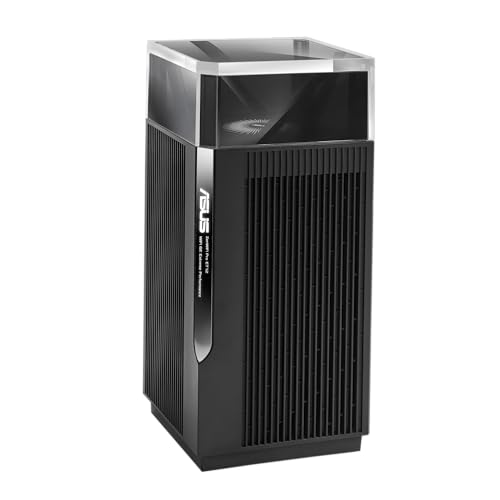
- ASUS ZenWiFi Pro AXE11000 Tri-Band WiFi 6E Mesh System (ET12 1PK) - Whole Home Coverage up to 3000 Sq.Ft & 3+ Rooms, Dual 2.5G Ports, 6GHz Band...
Last update on 2026-10-15 / Affiliate links / Images from Amazon Product Advertising API
The Asus ZenWiFi AXE11000 provides powerful mesh networking for larger coverage areas. This system works great for travelers with multiple devices needing connection. WiFi 6E technology delivers fast, stable speeds across the entire network.
The setup process is straightforward through the mobile app. Roaming between nodes happens automatically without disconnection. Security features protect your data on public networks. The sleek design looks professional in any space.
Each router addresses different travel needs. Choose based on your connectivity requirements and usage patterns.
Range and Coverage Limitations
The ASUS RT-BE58 Go has a real limitation when it comes to range. This is by design, not a flaw. Travel routers prioritize portability over coverage area.
In practical terms, expect solid performance within about 30 to 50 feet in open spaces. Walls and obstacles reduce this distance noticeably. The folding antennas help direct signals, but they cannot overcome the physics of a compact device.
The router performs best in close-range scenarios. Your bedroom, hotel room, or small apartment works perfectly. If you need to cover a large house or multiple floors, this router falls short. The trade-off is intentional. A larger antenna system would make the device impractical to carry.
WiFi 7 technology helps somewhat with range compared to older standards. The MLO (Multi-Link Operation) feature improves signal stability at medium distances. However, the compact form factor still limits how far the signal travels effectively.
Real world range depends on several factors. Your environment matters greatly. A concrete hotel room blocks more signal than drywall. Interference from neighboring networks also reduces effective coverage. Dense urban areas typically see shorter ranges than suburban locations.
Device compatibility plays a role too. If your laptop or phone doesn’t support WiFi 7, you won’t experience the full range benefits. Older devices may see even shorter coverage areas.
For travel use, this limitation rarely causes problems. You sit near the router anyway. The compact size means you pack it in your bag. Portability wins over sprawling coverage.
If you need extensive range, consider a different option. Desktop WiFi 7 routers offer much better coverage but sacrifice mobility. The RT-BE58 Go accepts this trade-off deliberately.
The folding antennas let you adjust signal direction toward where you work. This practical feature helps maximize coverage in your immediate area. Position the router strategically, and you’ll get the best possible range for a device this size.
Think of range as the expected limitation of any travel router. The ASUS RT-BE58 Go delivers exactly what its category promises. Close-range performance is genuinely strong.
Setup and Ease of Use
Getting the ASUS RT-BE58 Go running takes just a few minutes. The router arrives ready to use right out of the box.
You can set it up in three main ways. First, use the ASUS app on your smartphone to configure everything wirelessly. Second, connect via the web interface through any browser. Third, press the WPS button for quick pairing with compatible devices.
The app method works best for most users. Open the ASUS app, scan the QR code on the router, and follow the on-screen prompts. You’ll name your network, create a password, and select your preferred mode within minutes. The interface guides you through each step without confusing jargon.
The physical setup is equally simple. The folding antennas extend easily and lock into place. The compact size means you can position it almost anywhere on your desk or nightstand. The cable management stays clean because you only need power and an ethernet cable if desired.
Initial configuration doesn’t require technical knowledge. The router auto-detects your internet connection type and adjusts settings automatically. If you prefer manual control, the settings menu remains logical and organized. Advanced users can dive into VPN setup, Guest Network Pro, and AiMesh configuration whenever they’re ready.
The LED indicator lights show you connection status at a glance. A steady light means everything works properly. A blinking light indicates data transfer or searching for a connection. This visual feedback helps you troubleshoot basic issues quickly.
One helpful feature is the reset button. If something goes wrong, you can restore factory settings in seconds. This safety net gives you confidence to experiment with advanced features.
The documentation included in the box covers setup steps clearly. ASUS also provides online support videos if you get stuck. Most people complete the entire process in under five minutes from unboxing to connecting their first device.
The RT-BE58 Go proves that travel routers don’t need complicated setup procedures. Simplicity and speed define this router’s user experience from day one.
Pros and Cons
Pros
- WiFi 7 performance arrives in a truly portable package that fits in your travel bag
- Compact 232g design with folding antennas makes it easy to carry anywhere
- MLO technology delivers fast speeds across multiple bands simultaneously
- AiMesh support lets you expand coverage by connecting other ASUS routers
- Advanced VPN and Guest Network Pro give you security and privacy controls
Cons
- Range stays limited to roughly 30 to 50 feet, which is typical for travel routers but still a constraint
- No built in battery means you need a power outlet or external power bank to run it
- Feature set falls short compared to full size desktop routers designed for permanent home use
Who Should Buy It
The ASUS RT-BE58 Go works best for specific types of travelers and users. If you move between locations frequently, this router fits your needs perfectly.
Business travelers benefit most from this device. You work in hotels, coffee shops, and client offices. The compact design slides into your laptop bag without taking up space. WiFi 7 speeds mean your video calls stay clear and your file uploads happen fast.
Digital nomads love this router for good reason. You need reliable internet in multiple countries and cities. The tri-mode connectivity lets you connect to existing WiFi networks, use mobile hotspots, or create your own network. This flexibility keeps you online no matter where you are.
Remote workers who travel occasionally should consider this option. You attend conferences or work from different offices weekly. Setting up takes just minutes, so you don’t waste time getting connected. The Guest Network Pro feature lets you share internet with colleagues without giving them access to your personal files.
Families on vacation find real value here too. Kids can stream content in the hotel room while parents work. The compact size means it packs alongside your suitcase without extra weight.
Students studying abroad need this kind of solution. You move between dorms, apartments, and study spaces. WiFi 7 performance handles online classes and research without lag.
This router is NOT for everyone though. If you stay in one place permanently, buy a full-size desktop router instead. People who need whole-house coverage should look elsewhere. The 30 to 50 foot range works fine for a single room or small apartment, but not for larger homes.
You also need access to power outlets. No built-in battery means you can’t use this device without electricity nearby. If you want true wireless freedom, consider external power banks to extend usage time.
The ASUS RT-BE58 Go suits anyone who values portability and modern WiFi 7 speeds over maximum range and features. Your lifestyle determines whether this travel router makes sense for you.
Final Verdict
The ASUS RT-BE58 Go earns its spot as a top pick for anyone who wants modern WiFi speeds on the move. Reviewers give it a 4.5 out of 5 star rating across 96 reviews. That score reflects real user satisfaction, not just marketing claims.
Build quality stands out here. The router feels sturdy despite its tiny size. It survives the bumps and drops that come with frequent travel.
When you compare it to the GL.iNet Slate 7, the RT-BE58 Go holds its own. Both routers offer WiFi 7 performance in portable packages. The ASUS option brings a more polished app experience and simpler setup for everyday users.
This router does one job well. It delivers fast, modern WiFi wherever you plug it in. It does not try to replace your home router or compete with high end mesh systems.
Think about your travel habits before you decide. If you move between hotels, offices, and rentals often, this device fits right in. If you need whole home coverage or heavy duty features, look elsewhere.
The lack of a built in battery might feel like a drawback at first. But most travelers already carry power banks or stay near outlets anyway. This tradeoff keeps the router light and compact.
Overall, the RT-BE58 Go delivers on its promise. It brings next generation WiFi speeds into a pocket sized device. Setup takes minutes, performance stays strong at close range, and the build feels solid.
For frequent travelers who value speed and portability over raw range, this router makes sense. It handles streaming, video calls, and browsing without hassle in most travel settings.
Final take: choose the ASUS RT-BE58 Go if you want a lightweight, capable travel companion. Skip it only if you need extended range or battery powered convenience for outdoor use.
Frequently Asked Questions
Does the ASUS RT-BE58 Go need a battery to work?
No, this router does not have a built-in battery. You must connect it to a power outlet or use an external power bank to run it. This is a trade-off for keeping the device so lightweight and compact.
Can I use this router to expand my home network?
Yes. The RT-BE58 Go supports AiMesh, which means you can connect it to other ASUS routers you already own. This lets you expand coverage across your home or office space without buying new equipment.
How far does the WiFi signal reach?
The signal typically covers 30 to 50 feet in close range. This is normal for travel routers since they prioritize portability over long-distance coverage. If you need WiFi across a large area, a full-size router works better.
What makes WiFi 7 important on a travel router?
WiFi 7 with MLO (Multi-Link Operation) lets you get fast speeds across multiple bands at the same time. This means faster downloads and smoother streaming, even in busy areas with lots of WiFi networks. You get modern speed technology without the bulk of a desktop router.
Is this router secure for business use?
Yes. The RT-BE58 Go includes advanced VPN support and Guest Network Pro features. These tools let you keep your work data private and separate guest traffic from your personal connection. Business travelers get the security features they need in a portable format.

Zoro is a passionate traveler and gear enthusiast dedicated to helping fellow adventurers find the perfect travel products for their journeys. With years of hands-on testing and research, he provides honest, detailed reviews to make your packing decisions easier.


